Without the extension
google.com/goto?url=…
Need to fix Google goto URL links? Google now makes some copied search-result links go through its own /goto redirect instead of giving you the page's normal URL. That makes links harder to share and search results harder to analyze. This extension changes them back automatically.
Chrome Web Store live. Signed Firefox and notarized Safari downloads available.
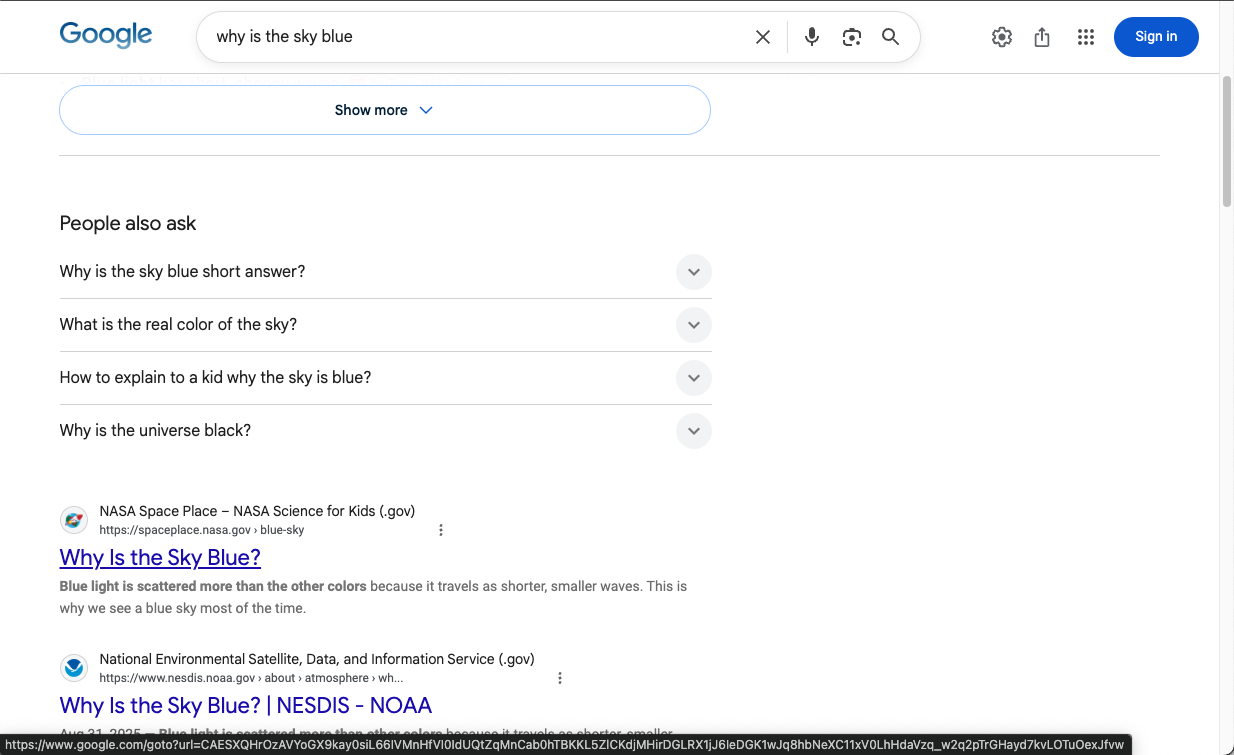
google.com/goto?url=…The result stays the same. Only the link becomes useful again.
An illustrative search result used to show the extension's behavior.
google.com/goto?url=…
example.com/guides/clean-links
Example URLs shown for illustration.
What you paste is the destination URL.
Read the destination before opening the result.
A simple browser control restores Google's default behavior.
Click the extension's toolbar button whenever you want to switch modes.
The blue ON badge means Google /goto links are being replaced with their real destinations.

No badge means the original Google links are restored. Click the icon again to resume.

Google began routing some result links through a server-side /goto URL. The destination still opens, but the link you inspect or copy may be Google's passthrough instead of the page itself.
Early public sightings of the new redirect pattern appeared while the behavior was still inconsistent across searches.
Search-industry reporting documented broader tests and the practical downside: the visible result link no longer revealed the destination directly.
Google confirmed the rollout and described it as part of its technical measures against abuse. Observers also connected the change to making automated result collection harder.
Runs in your browser. It accesses the current Google Search page and sends only Google's own /goto URLs back to Google to resolve them.
Install Chrome from the Chrome Web Store. Edge, Firefox, and Safari use direct release downloads; Firefox and Safari are signed for normal persistent installation.
Direct-download version 1.0.2 packages, signatures, and checksums are published on GitHub Releases.
Install Google Goto URL Fix from its official Chrome Web Store listing.
Chrome installs the extension and handles future updates through the Web Store.
Available now on the Chrome Web Store.